
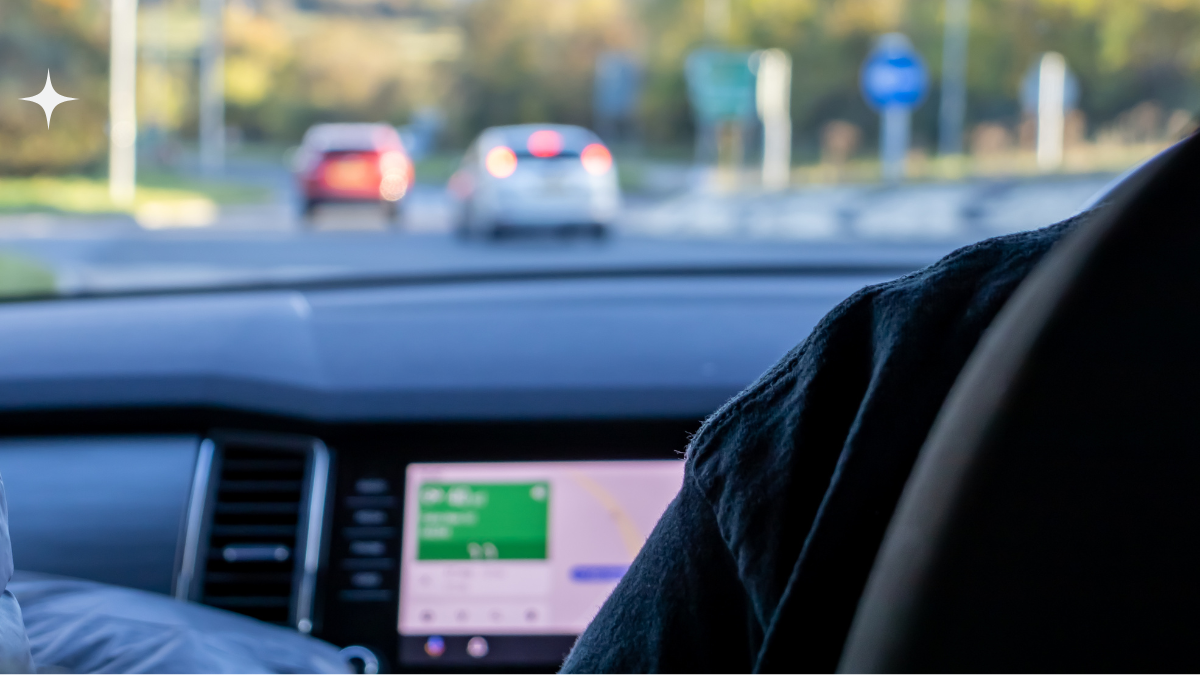
What Is Android Auto and How Does It Work? Check Out Our User Guide
Guide: What Is Android Auto? Here’s Everything You Need to Know
In this era of amazing innovations and incredible technologies being developed in every corner of the world, there is this one name that never ceases to amaze us. This one name that always brings us something that always solves one or more problems that we had or didn’t have. And that name is none other than undisputedly the best mobile app development company in the world – Google.
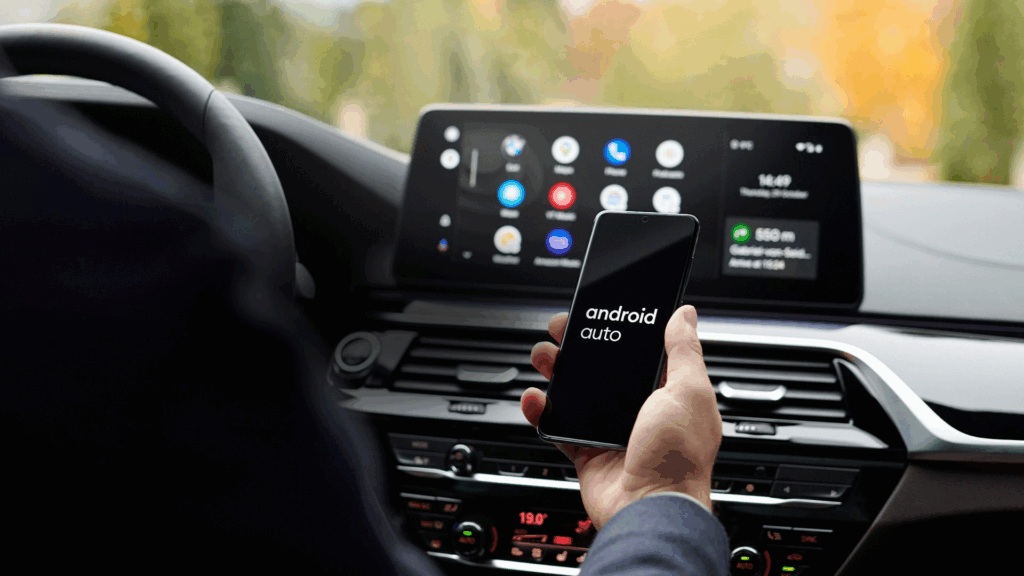
The most recent invention, or precisely, digital solution by Google is a smart car infotainment system that has everything you need to have in your car, which Google likes to call ‘Android Auto’. In simpler words, Android Auto is a combination of Android app development and a head unit that brings many features offered by Google to your car’s infotainment system. The touch screen on the head unit displays a series of apps that Google has handpicked for your infotainment system, taking the driving experience to much more convenient highs than ever.
Components of Android Auto
Android Auto is for everyone! Well, precisely ones with a compatible car infotainment system, a connector cable, and an Android phone running firmware higher than Lollipop. All you have to do is plug in your Android phone to the compatible dashboard head and start using the apps displayed on the touchscreen. At present, Google has tied up with more than 400 car and infotainment system manufacturers all over the world, including Koenigsegg, Mercedes-Benz, Lamborghini, Audi, Sony, Blaupunkt, Pioneer, and more.
-
Navigation
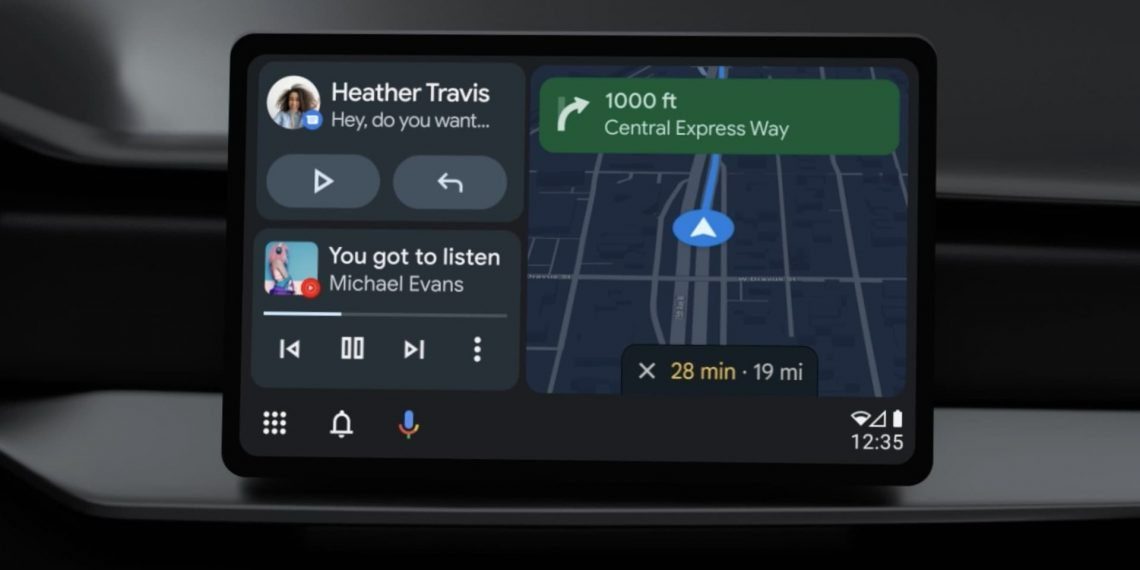
Google Maps is the navigation software you get on Android Auto, which is pretty smart if you ask us. Accurate and Voice-guided navigation, points of interest, lane guidance, traffic information, smart route optimisation based on delays & traffic congestions and much more, comes packed with Google Maps. However, if Google Maps is not what you prefer, you can use Waze on your Android Auto system. Yes, Android shook hands with Waze to include it as an option for navigation, because a lot of people around the world find Waze competing with what Google Maps is trying to deliver. Whatever suits you is okay with Android Auto.
-
Entertainment
Google’s tendency to bring uniformity in everything we use in our day-to-day lives, and Android Auto is such a great example of that. It is understandable that a phone and a laptop can be unified because they fall in almost the same category if we go by their usage. But bringing the same Android experience to a car’s entertainment system? Just Google things! Evidently, Android Auto allows one to use the same Google Play Music app in a car as well. Not only does this unifies the car and phone experience, it also means personalised music, playlist, favourites, and just as muchas its music player does for you on a phone.
-
Communication
Communicating with your car through Google voice-commands is the newest instalment in the list of amazing things Google has achieved since its inception. With voice commands, you can even carry out a general conversation with Google, asking about people, places or anything that exists. Some of the core functions of Android Auto with the use of voice commands, are making and receiving calls, sending and receiving messages, accurate navigation by Google Maps/Waze, knowing about points of interest and much more.
-
Home Screen
Home Screen could be termed a summary of all the apps you use and all the information you generate using these apps. On the home screen, you can get information in the form of cards, similar to those you get on your phone. These cards could contain information related to traffic, alternate routes, ETA, delays, amenities on the way, music you may like to listen to, and more. And in case you don’t need a card, you can swipe it off just like you would on your phone.
- Applications
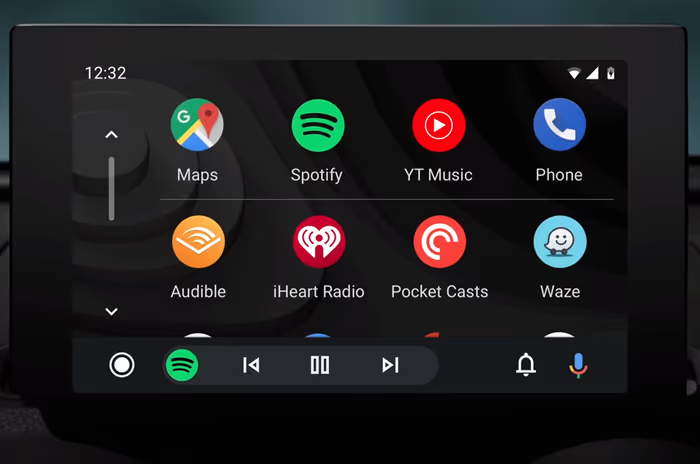
There is a series of Android applications that Google thinks can be used with Android Auto. Some of the most popular applications you can find on Android Auto are WhatsApp, Google Allo, Hangouts, Facebook Messenger, Telegram Messenger, Google Play Music, Audio Books, Sony Music, Skype and many more.
The Working of Android Auto
Android Auto requires a phone running Android 8.0 or above, a vehicle with Android Auto capacity, and a USB cable-if wireless Android Auto capability is installed in your car, then this last one wouldn’t be necessary.
From Android 10 onward, the app is already embedded within the OS; no need to download anything to start using it. Plug into the USB cable embedded in the car. You might get a prompt the first time to confirm if the code on your phone matches that on the car’s screen. The next time you enter the car, this will not be required.
So, to begin Android Auto, you really won’t have to do much. If you check the Android settings for “start Android Auto automatically,” Android will launch immediately when the phone is plugged into USB.
Wireless Android Auto is supported by some vehicles, which means there would be no need for a USB cable to interface with Android Auto. Consider that this method rather drains your phone’s battery as opposed to the normal wired Android Auto method, which charges your phone. If you want to recharge without plugging into a USB, an alternative is to have a car with a wireless charger for your phone. Wireless connectivity is available on compatible phones under Android 11.0, a Google or Samsung phone on Android 10.0, and some phones on Android 9.0.
Android Auto Update
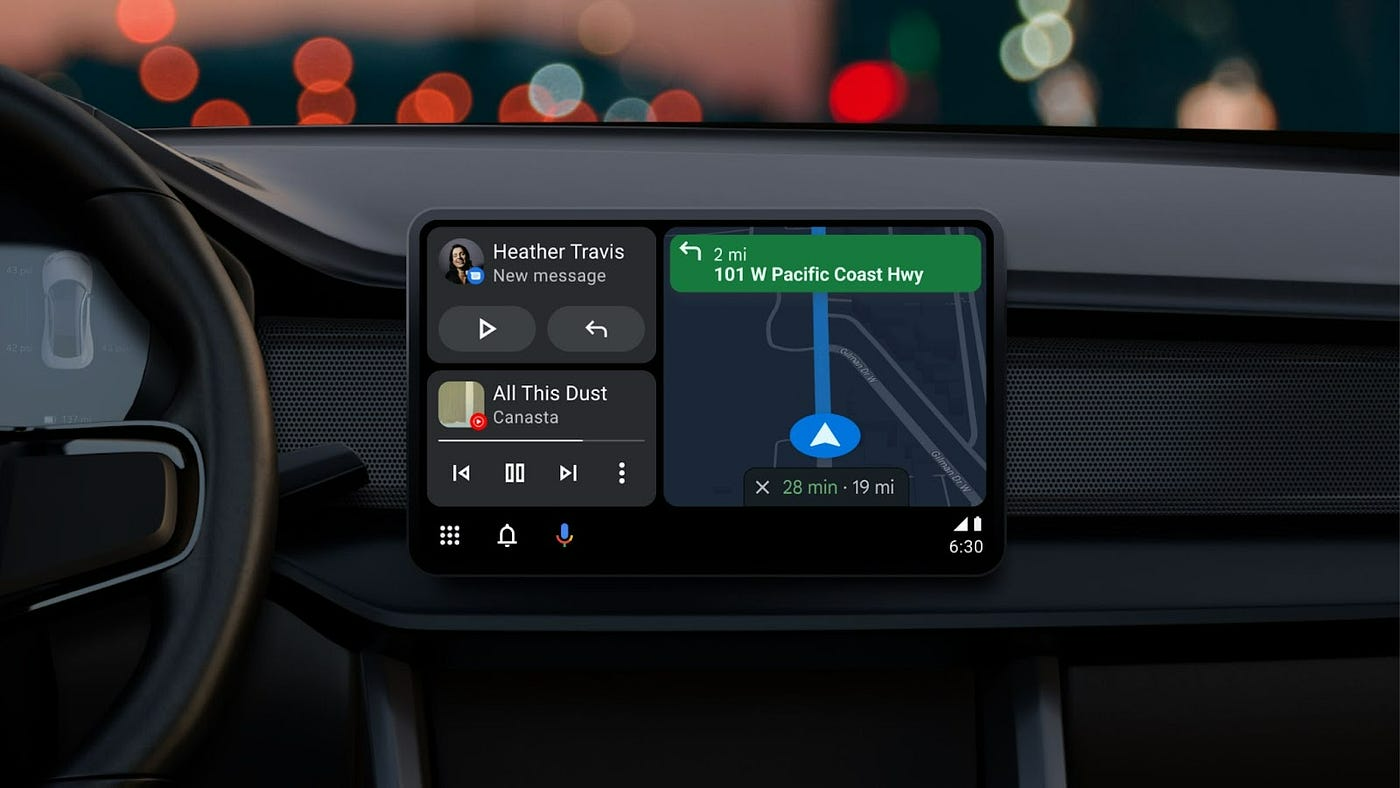
In an update created in the first month of 2023, Google introduced a new split-screen layout. This functionality permits the user to simultaneously view navigation, media, and communication applications on the screen. Now it is possible to change the music while still seeing Google Maps. An incoming text message will also show up on the screen.
Although Google Maps was supposed to enable users to report accidents and hazards akin to its sister application, Waze by July, this feature is still working as of September 2024. Android Auto allows hazard reporting both over wired and wireless. However, the interface needs enough vertical space to showcase the hazard icon, which will be on the bottom side of the compass button, shaped like a triangle. Hitting that button will give you the opportunity to report incidents of the same variety found in Waze, such as crashes, traffic jams, constructions, lane closures, and speed traps. Also like Waze, you might then begin receiving prompts asking you to verify if those hazards are still in existence, meaning incident reporting will rest on user reliability (just like Waze).
What are the benefits of Android Auto?
Android Auto is basically intended to stop people from looking at their phones while driving. By allowing users to talk to Google Assistant, one can stay connected and find one’s destination without having to look at the road. Nonetheless, Android Auto does not end distractions while driving. It is one of those things you must really concentrate on—road, not touchscreen.
Android Auto is one cool thing for your car’s native infotainment interface. Most cars have their own native navigation systems, but the latter are usually outdated compared to the one on your phone. Furthermore, for me at least, I prefer to enjoy my playlist and favourite podcasts through Android Auto rather than through my car’s audio system.
Can I Text with Android Auto?
You can send text messages by voice with Android Auto. Just ask the Google Assistant to send a message to someone in your contact list, and you will be prompted to dictate your message. The message will then show up on the touch screen while you’re driving; the Google Assistant will read it to you and take voice replies.
Another cool thing to do is use the new on-screen shortcut replies. When a friend texts you, Google Assistant suggests some quick replies that you can just tap and send. You can also send your ETA at the tap of a finger using Google Assistant.
Which Cars Support Android Auto?
The good news is that most major car manufacturers now include Android Auto in their vehicles. Brands like Audi, BMW, Ford, Honda, Hyundai, Mercedes-Benz, Toyota, and Volkswagen all offer as standard or optional in many models.
🚘 Android Auto Explained: What It Is, What It Does, and How It Works
If you have a modern vehicle, you’ve likely seen the option to connect your phone to the display—that technology is most likely Android Auto. It is Google’s seamless solution for safely using essential phone functions while driving.
If you’ve ever wondered, “What is Android Auto,” “What does Android Auto do,” or “How does Android Auto work,” this comprehensive guide provides all the answers for Android users.
🧐 What is Android Auto? (Android Auto Meaning)
Android Auto is a mobile application and software platform developed by Google that allows you to mirror a simplified, driver-optimized version of your Android smartphone screen onto your car’s infotainment display.
In simple terms, Android Auto in car acts as a bridge: your car’s screen and controls become the secure interface for navigating, communicating, and managing media from your phone.
-
Android Auto Meaning: It means extending the power of your Android device safely into your vehicle’s dashboard.
-
What is Android Auto on my phone? For phones running Android 10 or later, the core software is built-in to the operating system. For older phones (Android 6.0 to 9.0), it was a dedicated Android Auto app you needed to download.
✨ What Does Android Auto Do? (Android Auto Functions)
The primary purpose of Android Auto is to minimize driver distraction by transforming complex phone apps into simple, voice-controlled, and large-button interfaces.
The main Android Auto functions include:
| Function Category | Apps Used | What it Does for the Driver |
| Navigation | Google Maps, Waze | Provides turn-by-turn directions, real-time traffic alerts, and estimated arrival times (ETA) directly on the car’s screen. |
| Communication | Phone (Calls), WhatsApp, Telegram, SMS | Allows you to make and receive phone calls and send/listen to messages hands-free via voice commands. |
| Media/Music | Spotify, YouTube Music, Audible, Podcasts | Controls playback, skips tracks, and selects playlists using the car’s display or steering wheel controls. |
| Voice Control | Google Assistant / Gemini AI | The core control method. Say “Hey Google” to perform actions like “Navigate to home” or “Read my last message.” |
⚙️ How Does Android Auto Work?
The process of how android auto works relies on mirroring and data connection:
1. Connection (Wired or Wireless)
-
Wired Connection: You plug your Android phone into a compatible USB port in your car using a high-quality USB cable. The phone provides the processing power, and the car’s head unit acts as the display.
-
Wireless Connection: Newer, compatible cars can connect via a combination of Bluetooth and high-speed Wi-Fi. Once initially paired, your phone connects automatically when you start the car.
2. Projection & Simplified Interface
-
Once connected, the phone projects a special, driver-focused interface onto the car’s screen.
-
This interface features large, easy-to-tap icons, simplified menus, and a clean layout (such as the recent Coolwalk design, which supports a useful split-screen view).
-
The system only displays apps that are specifically optimized and deemed safe for use while driving.
3. Voice Control Integration
-
The most important element of how does android auto works is the integration of the Google Assistant (now increasingly being replaced by Gemini AI).
-
By pressing a button on the steering wheel or saying “Hey Google,” you can control almost all functions without touching your phone or the car’s touchscreen, ensuring your focus remains on the road.
How Does Android Auto Work for Navigation?
When you initiate navigation (e.g., using Google Maps or Waze):
-
The app on your phone performs the routing and traffic calculations using its active data connection.
-
The resulting map, real-time traffic data, and turn-by-turn instructions are instantly mirrored to your car’s screen.
-
The audio instructions are routed through your car’s speaker system, often muting the music temporarily.
This system ensures you always have the most up-to-date mapping and traffic information, which is usually superior to a car’s built-in, non-connected navigation system.
🔑 Key Requirements for Using Android Auto
To get started with this smart system, you need three things:
-
A Compatible Phone: An Android phone running Android 6.0 (Marshmallow) or higher. Phones with Android 10 and newer have the software built-in.
-
A Compatible Car: Over 400 car models from major manufacturers (or an aftermarket head unit from brands like Pioneer or Sony) support Android Auto in a car.
-
An Active Data Connection: Since the apps run off your phone, you need a mobile data or Wi-Fi connection for navigation, streaming, and messaging functions
Conclusion
Android Auto is the much-needed change we required to catch up with upcoming technologies like IoT, Artificial Intelligence, Machine Learning, Autonomous Cars, and many more that are set to branch out from the digital tree of today. With Android Auto, Google has redefined what a car infotainment system should be like, setting a benchmark for competitors to catch up from this point.