
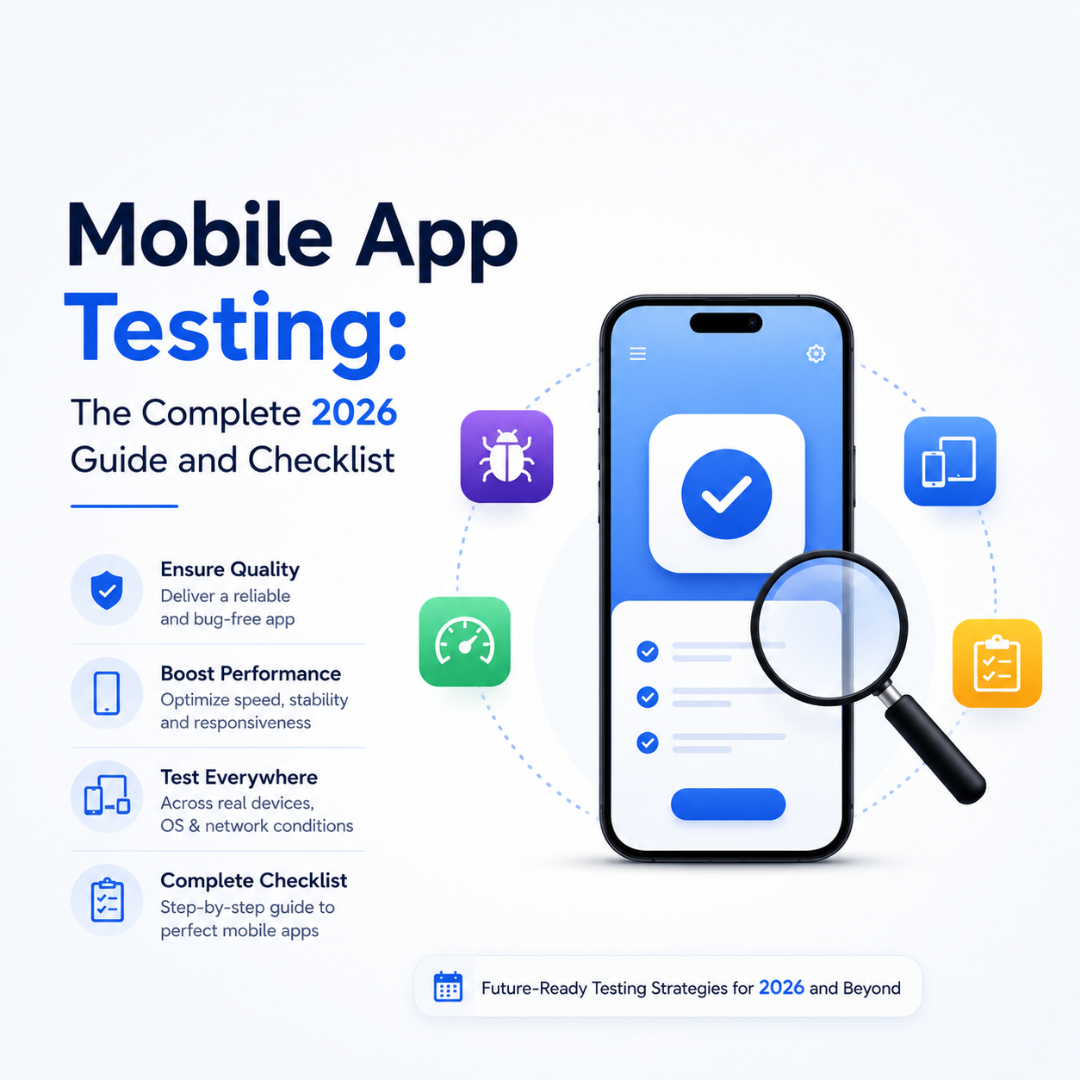
Mobile App Testing: The Complete 2026 Guide and Checklist
Mobile app development is going at a rapid pace with the entry of 2026 due to the adaptability in the global market. The competition is tough and if you are looking to succeed, then you can leave no chance for error. As there are many numbers of apps released in the market every day, testing the app for ensuring flawless app product is a crucial point for app success. Mobile app testing guarantees the smooth functioning of the app in the hands of users by meeting their expectation levels. But if you want to stand unique amidst the huge competition then you must adopt best testing practices as described in the article below.
» Know the requirements properly:
Regardless of the type of your app, you can never begin the testing process before knowing the requirements and functionality. This is crucial to crafting the test cases with complete coverage of user scenarios for top-quality output. The strategy will vary relying on the type of platform your app is built among native, cross, or web platforms. Moreover, the type of OS and devices your app will be operational on will impact the testing strategy. For instance, native apps offer superior functionality with rich features but must be tested on different kinds of OS and device types. Modern smartphones have become highly advanced and diverse with different screen sizes and design aspects. Having an expert testing team who knows of different testing technologies and following them with appropriate testing practices can ensure fruitful results.
» Test Early to have a defined testing strategy:
Defining a detailed test strategy and starting on time with the actual process is key to guaranteeing the best results in the app along with saving both time and resources. The team can easily fix the issues if it is caught early in the process for a smooth rectification. The present market is booming with loads of mobile apps in all industries which have led to fierce competition. Hence users have many alternatives to choose from if your app does not meet their requirements. Testing the app right from the starting stages ensures that the app ends up with top quality experience. A descriptive testing strategy will aid in laying a strong foundation for quickly executing the testing process without any delay. There will be consistency in the testing approach with comprehensive test coverage.
» Never miss to test on Real-Time Devices:
There are several advanced simulators and emulators available for mimicking the testing on real devices. But they can never match the testing with real devices for gaining accurate results under real-time settings. Not only will you be confident about the functionalities but also enhance the usability of the app in various real-time scenarios. List out all the combinations of devices that will
» Smart use of Automated Testing approach:
Gone are the days of testing manually for all possible testing combinations and various kinds of devices or platforms. Not only it is tricky but almost impossible to complete with big data sets in every iteration. Hence, automated testing comes as a savior especially in the case of repetitive tests and big sets of user data. When crafted under an expert, automated app testing delivers accurate outcomes along with the added benefit of immediate results that will help developers to start their rectification process if any issues. There will be an increase in the efficiency of the entire team in case of any emergency release situations.
» Never neglect security aspects:
With the advancements in mobile app technology, there also has been an increase in instances of cybercrime issues. Hence users are worried about their privacy which raises the need of testing the app concerning data security. Test the app thoroughly for all possible security scenarios leaving no room for unauthorized entries. Not only will the sensitive data be under the radar but the business information can go for a toss if malicious users gain access to the system. Since modern hackers find all possible chances to break the security you have to be cautious in not neglecting any part of the system for security testing.
» Unit testing:
Regardless of the type of app, it is important to break the whole unit into small parts and test them for functionalities. This is highly important for ensuring the accuracy and excepted behaviour of units in various situations. Testing smaller units will help to find issues in specific parts which will make the process easier. The development team can fix the issues faster and deliver the product quickly to the users.
Importance of Mobile App Testing practices:
- The mobile app testing segment is booming with opportunities across the global market. In such competition, businesses are looking to gain top positions by delivering a supreme experience to the users. Moreover, you can win the attention of users if you can offer unique solutions to user problems.
- If the users find the functionalities and feature not meeting their requirements properly, then they will immediately abandon the product to find alternatives. But if you can deliver a flawless product with comprehensive testing, then you can ensure long time association with customers.
- Having a well-planned testing strategy is important to provide the best final product to users with optimal time to market. Combining advanced technology and skill with best testing practices can take the brand value to higher levels.
Your article covers the fundamentals well, but it misses many 2026-specific testing trends that users and search engines expect. Adding these sections will make the content more comprehensive, improve topical authority, and help it rank for more keywords.
Here are some the trending checklist for mobile app testing for 2026:
1. AI-Powered Mobile App Testing (2026 Trend)
Artificial Intelligence has transformed mobile app testing by automating repetitive tasks, generating test cases, and identifying high-risk areas before deployment. AI-based testing tools can analyze user behavior, prioritize critical test scenarios, and reduce testing time significantly. Businesses adopting AI-driven testing can release apps faster while maintaining high quality.
Why add it?
- Highly searched topic in 2026
- Adds future-focused value
- Great SEO opportunity
2. Performance Testing Under Real User Load
An app that works perfectly for 100 users may fail when thousands access it simultaneously. Performance testing measures response time, CPU usage, memory consumption, battery impact, and server stability under different traffic conditions. This helps businesses prepare for product launches, festive sales, or viral marketing campaigns without crashes.
3. Network Connectivity Testing
Mobile users constantly switch between Wi-Fi, 5G, 4G, low-speed networks, and even offline mode. Testing the application under varying network conditions ensures uninterrupted user experience, proper synchronization, and graceful error handling when connectivity drops.
Include scenarios like:
- Poor internet connection
- Switching between Wi-Fi and mobile data
- Airplane mode
- Offline functionality
- Slow network recovery
4. Battery Consumption Testing
Users uninstall apps that drain battery quickly. Battery optimization testing identifies background activities, unnecessary API calls, GPS usage, and excessive CPU utilization that consume power. Optimized apps improve user satisfaction and receive better app store ratings.
5. Accessibility Testing
Modern applications should be usable by everyone, including users with disabilities. Accessibility testing verifies support for screen readers, voice navigation, color contrast, font scaling, captions, and touch accessibility.
Benefits include:
- Better user experience
- Wider audience reach
- Compliance with accessibility standards
- Improved app reputation
6. App Store Compliance Testing
Even a technically perfect application can be rejected by Google Play or Apple’s App Store if it violates platform guidelines. Before submission, teams should verify permissions, privacy policies, payment rules, SDK compliance, and metadata to ensure successful approval.
7. Crash Analytics and Post-Launch Monitoring
Testing should continue even after deployment. Integrating crash reporting and performance monitoring tools helps developers detect real-world issues that may not appear during internal testing. Continuous monitoring enables faster bug fixes and regular app improvements based on user behavior.
8. API and Backend Integration Testing
Most mobile applications depend on APIs for authentication, payments, notifications, maps, and cloud storage. Testing should validate API responses, error handling, data consistency, and server communication to ensure seamless functionality even during backend failures.
9. Localization and Internationalization Testing
If your application targets global users, testing should verify language translations, currencies, date formats, time zones, and regional preferences. Proper localization creates a personalized experience and reduces user confusion across different countries.
10. Regression Testing Before Every Release
Every new feature or bug fix can unintentionally affect existing functionalities. Regression testing ensures that updates do not introduce new issues, maintaining application stability throughout continuous development cycles.
11. Push Notification Testing
Push notifications directly influence user engagement. Testing should verify:
- Delivery timing
- Deep linking
- Notification permissions
- Rich media support
- Personalized messages
- Background notification behavior
Proper notification testing helps increase retention while avoiding user frustration.
12. User Experience (UX) Testing
Beyond functionality, the app should feel intuitive and enjoyable. UX testing evaluates navigation, gesture responsiveness, onboarding flows, visual consistency, and ease of completing key tasks. A seamless experience encourages users to stay engaged and leave positive reviews.
13. Compatibility with Foldable and Multi-Screen Devices
With the growing adoption of foldable smartphones and tablets, applications should be tested for adaptive layouts, screen transitions, split-screen functionality, and orientation changes to provide a consistent experience across modern devices.
14. Data Privacy and Compliance Testing
Applications handling personal information should comply with privacy regulations such as GDPR, CCPA, and other regional data protection laws. Testing should verify user consent management, secure data storage, encryption, and proper handling of personal information to build trust and avoid legal risks.
15. Mobile App Testing Checklist (Excellent SEO Section)
A quick checklist adds practical value for readers:
✅ Requirements reviewed
✅ Test cases prepared
✅ Functional testing completed
✅ UI/UX tested
✅ Cross-device compatibility verified
✅ Cross-browser testing (for web apps)
✅ Performance tested
✅ Security vulnerabilities checked
✅ Battery usage optimized
✅ Network condition testing completed
✅ Accessibility validated
✅ API integrations verified
✅ Push notifications tested
✅ Crash analytics integrated
✅ Regression testing completed
✅ App Store guidelines verified
Bonus Section (Highly Recommended)
Common Mobile App Testing Mistakes to Avoid
- Relying only on emulators
- Ignoring low-end Android devices
- Skipping regression testing
- Not testing under poor internet conditions
- Overlooking battery consumption
- Delaying testing until development ends
- Ignoring accessibility standards
- Missing App Store compliance checks
- Failing to monitor crashes after launch
Conclusion:
With the selection of best testing practices, any kind of business can deliver a top-quality product. In an era of stiff competition across the segment, it is crucial to take care of every small aspect for offering flawless products to the customers. There should be a combination of best testing practices and a solid testing team to complement the process with expertise. Partner with a leading mobile development company, who has a team of experts for comprehensive mobile app development. The firm analyses the needs of every requirement carefully to deliver a quality product.
Here’s FAQ content based on your mobile app testing article:
Mobile App Testing FAQs
Q1. Why is mobile app testing important before launch?
With so many apps releasing every day, testing is what separates a successful app from one users abandon. It ensures the app performs reliably, meets user expectations, and helps build long-term customer loyalty rather than losing users to competitors.
Q2. What should be done before starting the testing process?
Before any testing begins, the team needs a clear understanding of the app’s requirements and functionality. This helps in designing test cases that cover real user scenarios. The approach also depends on whether the app is native, cross-platform, or web-based, since each comes with different OS and device considerations.
Q3. When should testing actually start in the development cycle?
Testing should start early, alongside a clearly defined test strategy. Catching issues sooner makes them easier and cheaper to fix, and it keeps the whole development process running smoothly without last-minute delays.
Q4. Are emulators and simulators enough for testing, or are real devices necessary?
Emulators and simulators are useful, but they can’t fully replace real-device testing. Testing on actual devices gives more accurate results and helps validate both functionality and usability under real-world conditions.
Q5. Should mobile app testing be manual or automated?
For repetitive test cases and large volumes of data, automated testing is far more efficient than manual testing. It speeds up results, helps teams catch issues faster, and is especially valuable during urgent release cycles.
Q6. How important is security testing for mobile apps?
Very important. As cybercrime threats grow, apps need thorough security testing to protect user data and business information from unauthorized access. Skipping any part of security testing leaves the app vulnerable to exploitation.
Q7. What is unit testing and why does it matter?
Unit testing means breaking the app down into smaller components and testing each one individually. This makes it easier to catch issues in specific areas, so the development team can fix problems faster and ship a more reliable product.
Q8. What’s the overall benefit of following a strong testing strategy?
A well-planned testing strategy leads to faster time-to-market, fewer post-launch issues, and a better overall user experience — which ultimately strengthens brand value and customer retention.