
How AWS Architects Can Design Resilient Systems Without Overengineering?
Build a Resilient AWS Architecture Without Overengineering
A customer tries to perform a task in a service, but cannot because an error has occurred in the portal. The problem arises because a defective version of the code was deployed to all instances of the program at once, so sending it again to another set of Availability Zones or Regions will not solve the issue. The creation of a resilient AWS architecture assumes that failures and service disruptions are likely to happen, which makes it essential to understand, design, and test recovery mechanisms and ensure the infrastructure meets all requirements before implementation.
» Start With Recovery Goals, Not AWS Services
Before selecting the infrastructure, it is essential that the portal’s business owners and technical teams discuss and agree on the tolerable level of disruption for portal customers.
The requirement to keep the site open is too vague to define the design specifications. For example, it is not stated whether portal visitors will be able to ask for a report at any given moment or if they can wait till the end of the incident to access the data they need.
» Identify the Customer Actions That Matter Most
The team has been listed according to their actions and the harm that their failure might cause in descending order. The process of submitting a request is the first priority since it is the basis for any other action. One might interrupt an ongoing process to check the status of the request; however, downloading the report from the previous year is something one might decide to postpone.
» Set Time and Data Recovery Targets
AWS recovery targets show how fast service must return and how much data can be lost. RTO covers recovery time, while RPO covers data loss.
For instance, the portal owner can establish a 30-minute RTO for request submission and an AWS recovery point objective (RPO) of 5 minutes for submitted requests. If the report had been current, it would probably have a considerably higher RTO because its short-term loss would be tolerable.
» Account for the Team Operating the Design
These AWS architecture trade-offs belong in the same discussion as RTO and RPO. A recovery target has little value if the team cannot meet it during an incident.
Map the Failures the Portal Must Handle
Different problems cause different customer issues. A stopped instance, bad release, lost record, or regional outage may need a different fix.
» Separate Infrastructure Failure From Application Failure
AWS fault tolerance can keep a portal running after an instance or Availability Zone fails when other healthy resources are available, but it cannot fix bad code. If every instance gets the same faulty update, the portal can still fail.
A database that stays available presents a similar distinction. It may keep serving requests after an infrastructure fault, but it won’t recover a customer record that was accidentally deleted.
» Record the Customer Impact and Required Response
| Failure | Customer impact | Recovery action | How to test it |
| Application instance stops | Requests may slow or fail if capacity is insufficient | Route traffic to healthy capacity | Remove one instance and submit a request |
| Availability Zone is impaired | Portal access may degrade | Serve requests from another Zone | Rehearse the loss of capacity in one Zone |
| Faulty release reaches production | A key action may fail everywhere | Stop the rollout and return to a working release | Test rollback in a safe environment |
| Customer data is deleted | Records may be missing despite healthy infrastructure | Recover the affected data | Restore sample data in an isolated environment |
| Region is disrupted | The portal may be unavailable for an extended period | Follow the agreed Regional recovery procedure | Exercise that procedure |
Build the Smallest Design That Meets the Targets
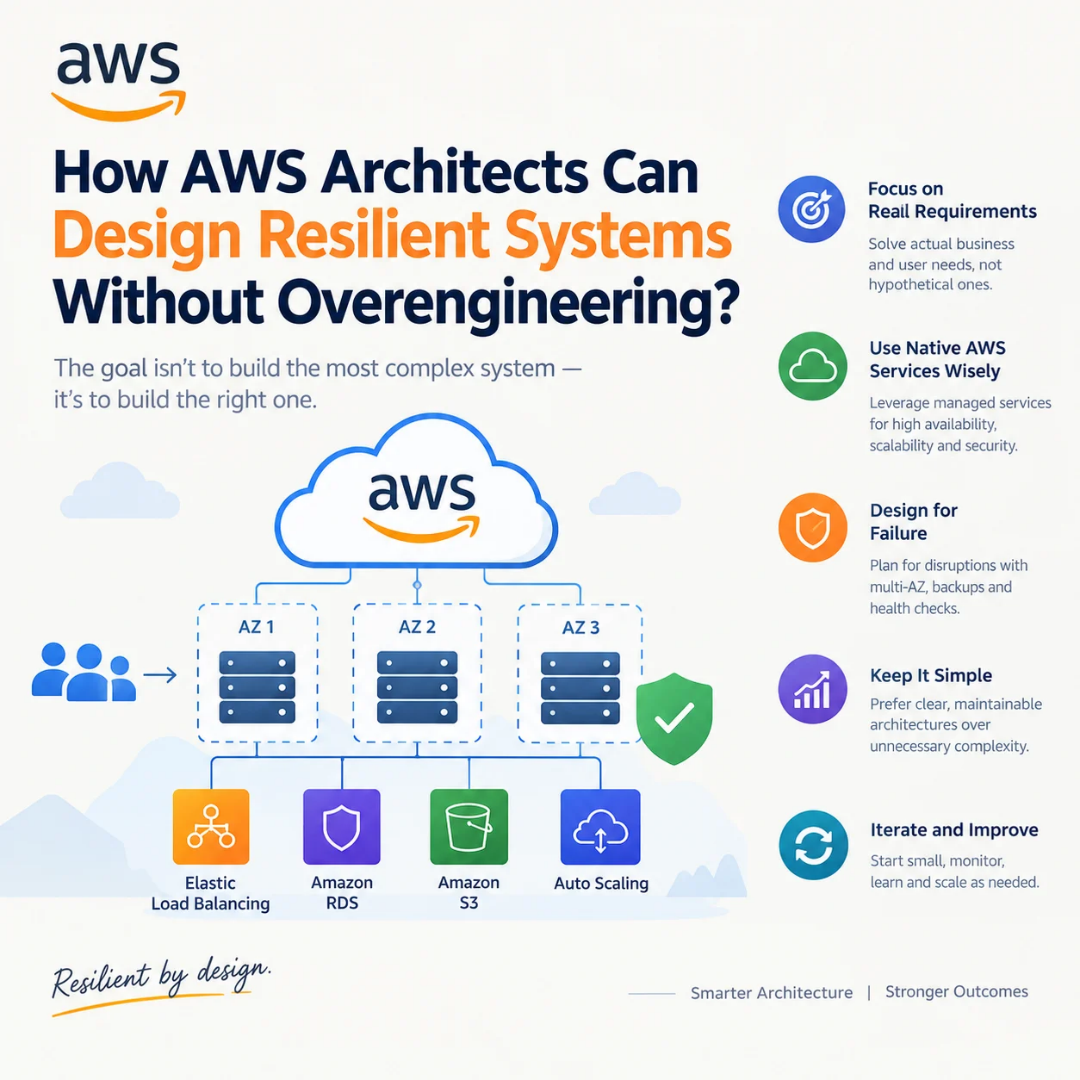
The application can run in one AWS Region with multiple Availability Zones, backup copies, and a way to restore a previous version.
» Keep Essential Application Capacity Available
The AWS Multi-AZ architecture can be applied in the case of a single Availability Zone capacity shortage. However, there is a particular subtlety regarding the Multi-AZ architecture that relates to the time of occurrence of an error. If the necessary amount of healthy instance capacity for an application is available in another zone at the time of failure, the portal will remain available.
Otherwise, if new instances need to be deployed, this process will take longer. The team should test whether the remaining capacity can handle normal traffic, including request submission. Distributing instances across Zones does not prove that the customer action still works when one Zone is unavailable. This part of an AWS high availability architecture addresses an instance or Zone problem; it does not address the faulty deployment from the opening example.
» Choose Data Protection for the Actual Risk
A managed database configuration with a standby copy in another Availability Zone can recover from some infrastructure failures. In general, it is better to design a backup and restore solution anyway. Because replication can replicate an accidental change along with the intended changes, a standby database might have a deleted or corrupt record that the primary database does not.
The backup plan should include retention and access policies, testing procedures, and a method of verification. It should also cover the actions the team members are allowed to perform in case of an actual data loss event that a standby database can be used to recover from.
Choosing between these options is a core part of AWS Solutions Architect training, where resilience has to be weighed against cost and operational effort.
» Limit Failure Across Dependencies
The portal may need to invoke another service after the customer has made a request. If this service is slow, then the portal must not be kept waiting. Timeouts prevent this, and throttling within the timeouts allows for transient issues without overloading the slow service. It is important to make sure that duplicate requests do not create unnecessary work.
A queue is necessary if the portal has to accept incoming requests, while the following processing is not available. If the request must fail when processing is not possible, the addition of a queue may hide this problem. This depends on what the customer was promised, and if the queue can be processed at a later time safely.
That is AWS application resilience in practical terms: protect an essential action from a specific dependency failure, then verify that the protection works.
Know When Another Layer Is Worth Adding
A second Region offers the comforting promise of redundancy following a discussion of Regional disruption. This has implications for operations relating to the release of software, management of data, monitoring of the portal, securing of access, and practice recovery. The option requires a business requirement, not just a desire for more redundancy.
» Compare Regional Options Against the Business Target
The question behind Single Region vs multi-Region AWS is whether the portal’s recovery time and data loss limits can be met with its current design and a tested recovery plan. If the business can tolerate a longer interruption during a Regional event, another live Region may add more cost and operational work than the requirement warrants.
If the portal must continue an essential customer action through a Regional disruption, the team should assess a second Region. It must then prove that traffic, application behavior, and data handling will meet the target during failover.
» Examine What the Team Would Have to Operate
A second Region requires more than server copies. Your teams will need to know which release is in each location, what data is there, and how access is controlled. They’ll need to know where to send alerts and how customers get back to normal service.
The proposed layer is cloud architecture overengineering if the benefit of recovery cannot be tied to a requirement your team can test.
» Apply a Five-Question Decision Test
Before adding a recovery component, ask:
- Which specific failure does it address?
- How much does it improve the agreed recovery target?
- What will it cost to run and maintain?
- Who will operate it during an incident?
- How will the team prove that it works?
Test Recovery Before Calling the Design Resilient
A diagram can illustrate the location of components. However, it cannot demonstrate the time needed for an engineer to detect the failure, restore the data, and ensure that the customers can submit their requests. The AWS architecture should be tested by conducting the necessary procedure, which is aligned with the customer’s request, from one end to the other.
» Check Application Continuity
In a test scenario, the team can remove an instance of the application and submit a request through the portal and check whether it is successfully persisted or not, instead of an infrastructure-only alert.
The team can then rehearse the loss of capacity in one Availability Zone. AWS resilience testing should include the time it takes for healthy capacity to handle requests and any errors customers see during the change. If the portal slows beyond an acceptable level, you may need more available capacity or a different scaling approach.
A separate test should be done addressing the initial incident, releasing bad code in a controlled environment, detecting the failed customer action, aborting the rollout, and reverting to a working version. Zone redundancy would not be a replacement for that rollout procedure.
» Restore Data and Check Its Usefulness
AWS backup and restore testing means more than confirming that a backup job completed. Restore a backup in an isolated environment and open the recovered records through the application. Can the portal read them? Are the relationships between records intact? Is the recovered data recent enough to meet the agreed RPO?
These kinds of tests can help identify permission issues, process mistakes, or a recovery point that is outdated compared to the team’s expectations.
» Measure the Full Recovery Timeline
Start the clock when the customer action fails and finish it when the team identifies the problem and initiates the response, eliminates the issue, and confirms the restoration from the customer’s perspective. The time it takes should be compared to the defined RTO, and the period, not the technical recovery, should be considered. The result of the calculation will impact the decision in the failover strategy in AWS. If the team managed to attract traffic quickly but failed to perform the customer validation efficiently, an adjustment of the process will be required. If the expected performance is not reached, the design may need changes. The solution can then be tested again to check whether the problem is fixed.
Review the Design as Requirements Change
New features, tighter recovery targets, or failed tests can change what the portal needs.
Review the design when any of these changes occur:
- Have the essential customer actions changed?
- Are the RTO and RPO still agreed with the business owner?
- Did recent recovery exercises meet those targets?
- Can the team still follow the procedures with its current staffing?
- Does the AWS Multi-AZ architecture have enough available capacity for expected traffic?
Conclusion
The ineffective launch of the portal implies that Availability Zones are an insufficient protection measure. In this case, the team should consider implementing a rollback solution, ensuring that backups are regularly performed and proving that the customers will be able to reissue requests successfully. AWS Resilience Testing integrates these control points into the response plan. This way, the team can define AWS architecture that is resilient to failures and meets the objectives. Pick an important customer action, practice a disruption, and measure the recovery time.